
- Selection between the cloud Call Recording Handler and Desktop Lite based on the approved use case
- Configuration review for eligible PBX recordings
Product detail · Recording workflow
Choose the recording handler that fits the workflow.
Route eligible recordings and approved derived outputs according to a defined customer workflow. Heritage offers a cloud Call Recording Handler (CRH) and a separate Desktop Lite option. Both remain separate from PBX recording, source-service retention, enhanced reporting, and any decision made from a derived output.
Two distinct optionsCloud CRH and Desktop Lite.
Desktop Lite is built on Open Source Meetily. That credit applies only to Desktop Lite and does not imply Meetily endorsement, partnership, warranty, support responsibility, or any particular license term. Cloud CRH capabilities do not establish Desktop Lite feature parity.
Product fit
Best fit
- Customers that need eligible recordings copied to a designated compatible destination
- Workflows requiring optional transcription, summaries, or discovery-driven analysis
- Teams prepared to define recording policy, destination, access, retention, security, and human review
Selected workflow scope
Foundation and options
- Cloud CRH copying of eligible recordings to compatible customer-designated Amazon S3-compatible storage, Backblaze B2, or SFTP
- Cloud CRH transcription and summarization
- Cloud CRH delivery of approved outputs by email, webhook, and/or storage
- Cloud CRH discovery-driven advanced analytics for specific call requirements
Cloud CRH · Approval-gated workflow
Keep source, processing, delivery, and review separate.
The following confirmed workflow applies to the cloud CRH. Desktop Lite capabilities are reviewed separately and are not assumed to match it.
- 01
Eligible PBX recording
The separately configured PBX service creates audio according to the customer’s approved recording policy.
- 02
Configured handling
The cloud CRH may copy an eligible recording and optionally transcribe, summarize, or apply discovery-driven analysis.
- 03
Approved destination
Configured outputs may use email, webhook, and/or compatible customer-designated storage after destination review.
- 04
Human-reviewed use
Accountable people verify derived output against the recording and context before consequential action.
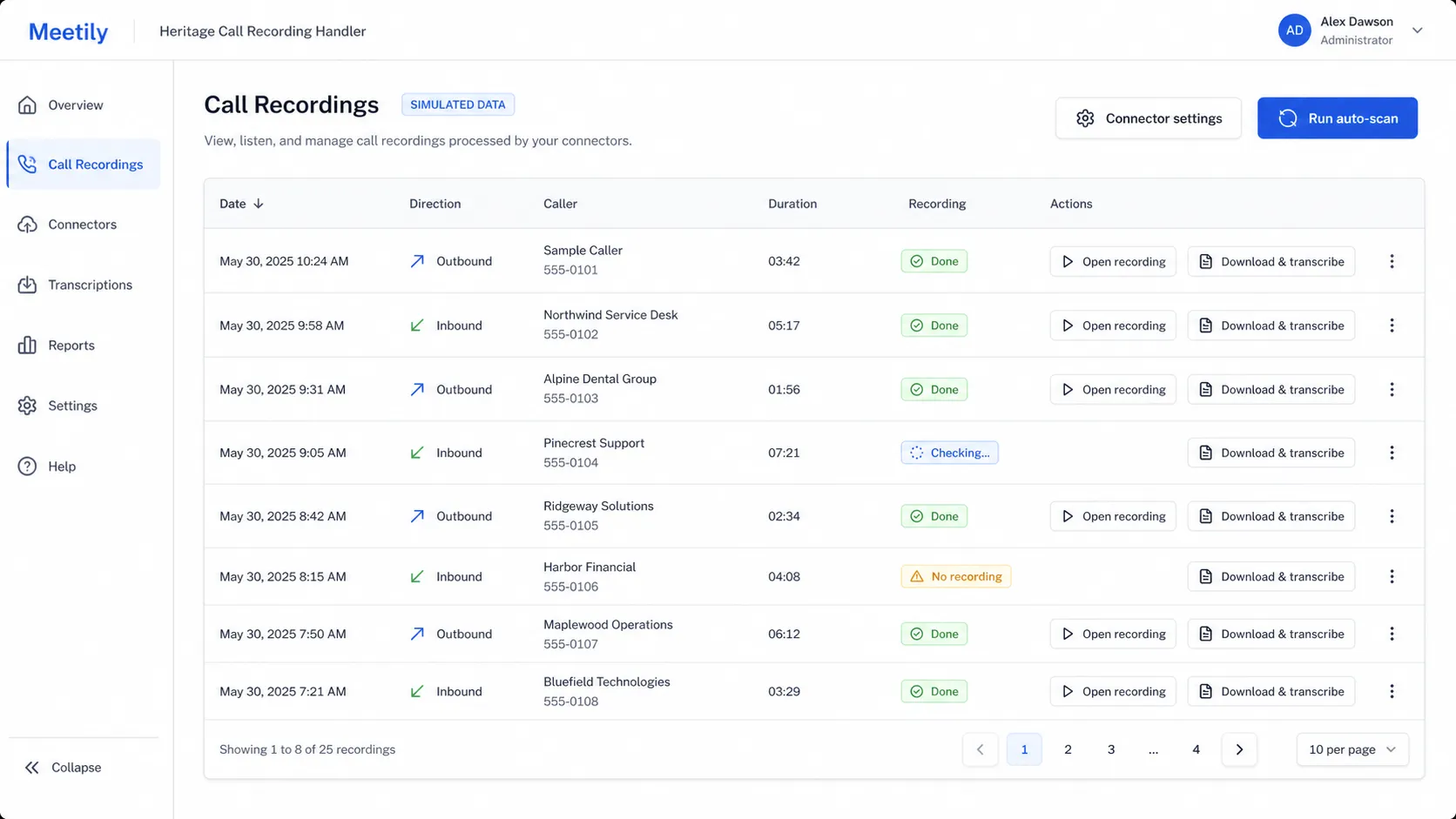
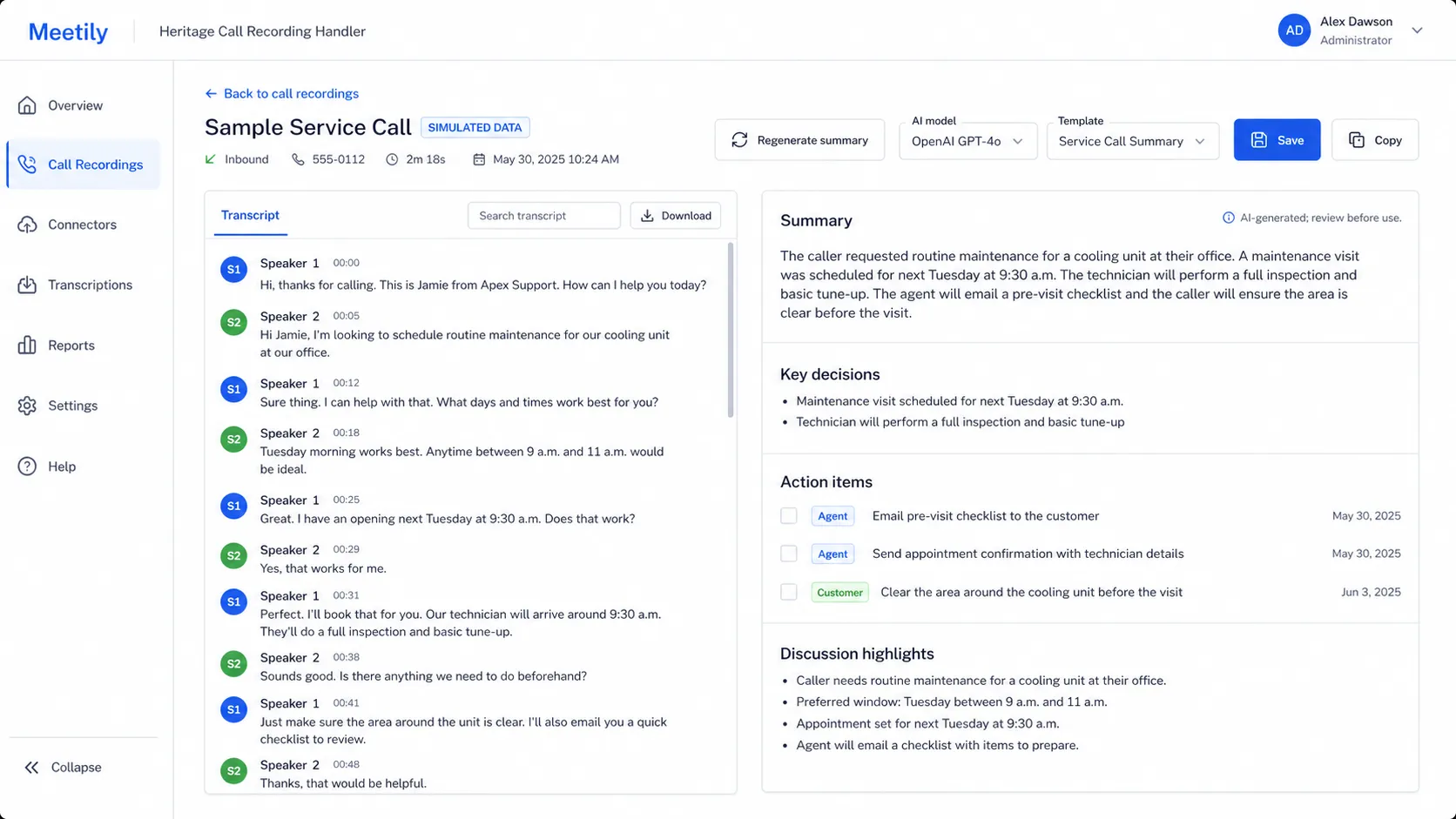
Desktop Lite · Simulated interface references
Illustrations of Desktop Lite handling and review concepts.
Both images contain entirely fictional data and visible SIMULATED DATA labels. They are not customer screens, actual account data, a cloud CRH interface, or a guarantee that every depicted control or field is included in Desktop Lite.
Cloud CRH · Configured destinations
Choose the cloud data path around the customer’s requirements.
The cloud CRH workflow depends on the source, content, destination, credentials, access, privacy, security, retention, deletion, delivery, and review requirements. These destination capabilities are not attributed to Desktop Lite.
Inspect recording and retention boundariesEligible recordings may be copied to compatible Amazon S3-compatible storage, Backblaze B2, or SFTP. Destination lifecycle, capacity, administration, deletion, and failures determine actual retention; no permanent archive is promised.
Approved outputs may use email and/or a webhook. Email is not assumed suitable for every recording, transcript, summary, or sensitive workflow.
Eligible recordings may be transcribed, summarized, or evaluated through discovery-driven analytics for a specific call requirement. Exact inputs, questions, outputs, and acceptable use are defined during discovery and testing.
AI and derived data
Provider and privacy configuration remain client-decided.
Public API models are the default access model, with OpenAI direct as the default provider. Novita.AI and AWS Bedrock are available options. Privacy options are available based on client requirements.
Those provider choices do not establish processing location, subprocessors, retention, deletion, model-training behavior, human access, access controls, data location, isolation, compliance, accuracy, or contractual terms for a selected workflow.
Review AI data-use boundariesBefore activation
Define policy and operating responsibility.
- Eligible and separately configured PBX recording
- Customer-approved recording notice, consent, authorization, and internal policy
- Defined source, destination, credentials, access, privacy, security, retention, deletion, delivery, and review requirements
Commercial boundary
No unapproved pricing structure.
Exact application, workflow, storage, delivery, processing, and usage charges require a confirmed configuration; no amount is published. This page publishes no price, range, tier, included storage, included processing, minimum, usage rate, processing time, or service-level commitment.
Recording and consent
Technical ability does not establish permission.
The customer must establish appropriate notice, consent, authorization, purpose, internal policy, access, retention, deletion, and legal guidance for recording and downstream processing before activation.
Common questions
Keep the answer tied to the selected option and configured workflow.
Does either handler record calls?
No. Eligible PBX recording is a separate prerequisite with its own configuration, notice, consent, access, policy, and retention requirements.
Which option is built on Meetily?
Desktop Lite is built on Open Source Meetily. The cloud CRH is a separate Heritage option. This technical-foundation credit does not imply endorsement, partnership, warranty, support responsibility, or particular license terms.
Do Cloud CRH and Desktop Lite have the same features?
No feature-parity claim is made. The copying, processing, delivery, and advanced-analytics capabilities described on this page are confirmed for the cloud CRH. Heritage separately validates Desktop Lite capabilities and fit.
Are the screenshots actual customer screens?
No. They are fully simulated Desktop Lite references with fictional data and visible SIMULATED DATA labels. They do not depict the cloud CRH. Original customer screenshots and customer data are not used.
Are transcripts and summaries always correct?
No. They may be incomplete or wrong. The selected workflow must define testing, evidence, review, exceptions, and acceptable use.
How long are recordings and outputs retained?
No default period is stated. Source-service settings, destination lifecycle rules, each derived output, deletion, and responsible operators require configuration-specific review.
What does the handler cost?
No amount or assumed billing unit is published. Heritage confirms the selected option, workflow, destinations, storage, processing, delivery, usage, and support scope before quoting.
Related workflows